Which tool versions are you using?
SDK: v14.22.0
Platform: v24.09.1
Python: v3.12.7
Isolation mode: venv
Current Behavior
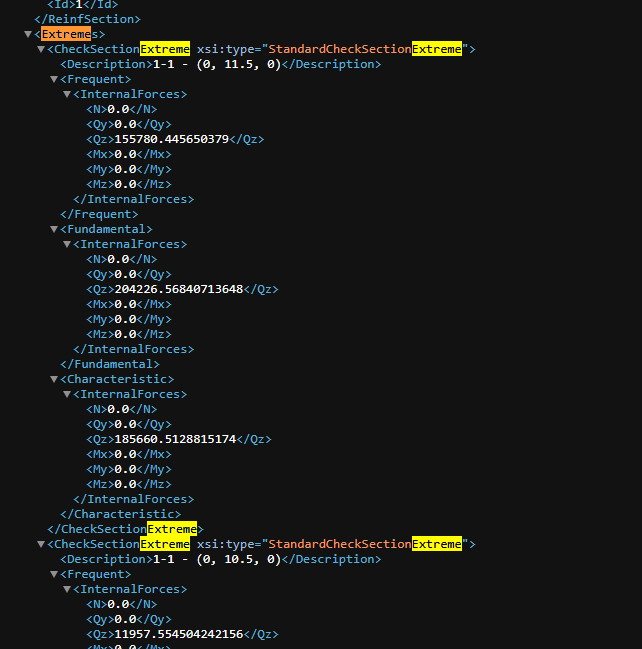
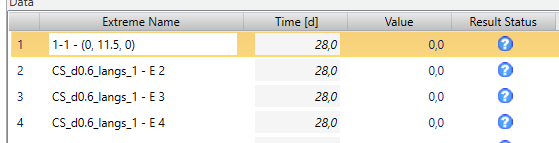
When creating a extreme (load) in IDEA you can set the description (optional), however the description is not shown in IDEA afterwards. The string that is given is however correctly taken into the input xml file. I have tried some options and made sure the names are unique. It keeps taking the default value
Try #1
IDEA input xml
IDEA model. here I also tried setting the name manual and that works so the characters are accepted.
Try #2
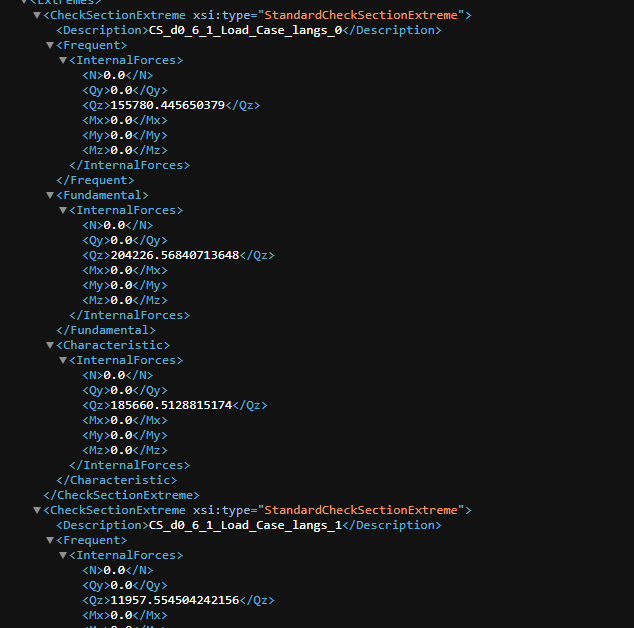
Here I used no spaced and made 100% sure the names where unique. This also did not result in the correct names in IDEA.
IDEA input xml:
Expected Behavior
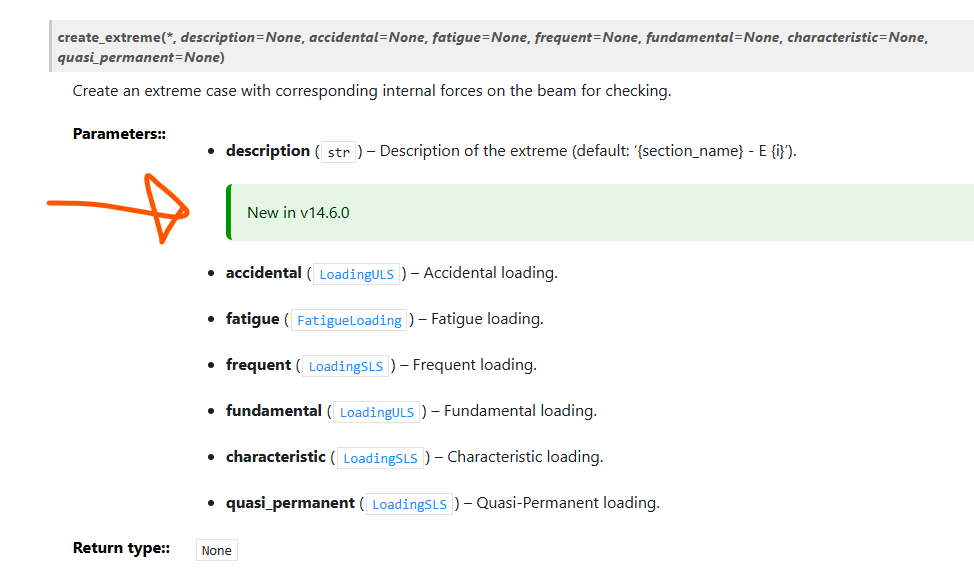
I would expect that the description changes the extreme name as stated in the documentation.
Context (optional, but preferred)
…
@mslootweg
@rweigand , zoals gedeeld via Teams.
The only thing I notice is the description is not a string in the xml, i.e. <Description>”CS_d0_6_1_Load_Case_langs_1”</Description> but other than that I don’t know much. Perhaps @khameeteman can see something going wrong?
What is the version of IDEA and the version of the worker you are using?
We are using IDEA 22.0. I don’t know what the worker version is.
I think that support for setting a description of the extreme through IOM was added in a newer version of IDEA. I found the following PR on their GitHub: Add description in section extreme by mcihal · Pull Request #318 · idea-statica/ideastatica-public · GitHub.
This means that if you want to use the description both the worker and IDEA should probably be updated to a newer version.
I have tested it with IDEA 24.1 and worker version 5.9.1. With this version the naming works correctly. So the issue was indeed due to an old version of IDEA.