<!DOCTYPE html>
<html lang="en">
<head>
  <meta charset="utf-8" />
  <title>Leaflet + Esri labels test</title>
  <meta name="viewport" content="initial-scale=1, maximum-scale=1, user-scalable=no" />

  <link rel="stylesheet" href="https://unpkg.com/leaflet@1.9.4/dist/leaflet.css" crossorigin="" />
  <script src="https://unpkg.com/leaflet@1.9.4/dist/leaflet.js" crossorigin=""></script>
  <script src="https://unpkg.com/esri-leaflet@3.0.19/dist/esri-leaflet.js"></script>
  <script src="https://unpkg.com/esri-leaflet-vector@4.3.2/dist/esri-leaflet-vector.js" crossorigin=""></script>

  <style>
    html, body, #map { height: 100%; width: 100%; margin: 0; padding: 0; }
  </style>
</head>
<body>
  <div id="map"></div>
  <script>
    const ESRI_API_KEY = "API_KEY";
    const map = L.map("map").setView([37.75, -122.23], 10);
    map.createPane("imagery");
    map.getPane("imagery").style.zIndex = 200;

    const imagery = L.esri.tiledMapLayer({
      url: "https://services.arcgisonline.com/ArcGIS/rest/services/World_Imagery/MapServer",
      pane: "imagery"
    });
    const labels = L.esri.Vector.vectorBasemapLayer("arcgis/imagery/labels", {
      apikey: ESRI_API_KEY
    });
    L.layerGroup([imagery, labels]).addTo(map);
  </script>
</body>
</html>
Hi,
I was trying out to use ESRI imagery and its labels with Leaflet in the Webview. The same code which is attached works well in a normal html render in the browser. But the same code in Viktor’s html view doesnt show or atleast doesnt render the labels on the map. Could some one help us? This is kind of urgent and we are stuck here.
Thanks in advance
I see that to get the labels you require an API key. Is that properly inserted in the HTML string you are using in the WebView? In this example the name is inserted in the HTML string:
import viktor as vkt
from io import StringIO


class Controller(vkt.Controller):

    @vkt.WebView('Hello page')
    def get_web_view(self, params, **kwargs):
        name = 'John Doe'
        html_text = f'<html>Hello {name}</html>'
        return vkt.WebResult(html=html_text)
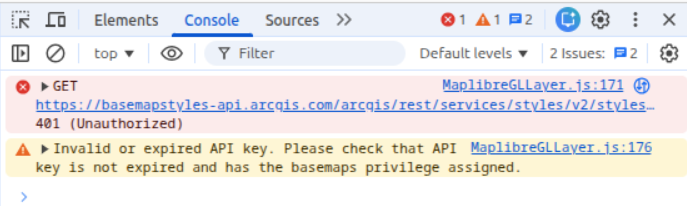
Do you see any additional errors in the developer tool console of the browser? For example, when I run this without a proper API key the javascript raises the following error:
Yes. I used API_KEY and as I said I used the same html which is working perfectly in the browser which is displaying imagery and its labels but in Viktor’s webview, only imagery map without labels are rendered.
Is there any additional information in the browser console?
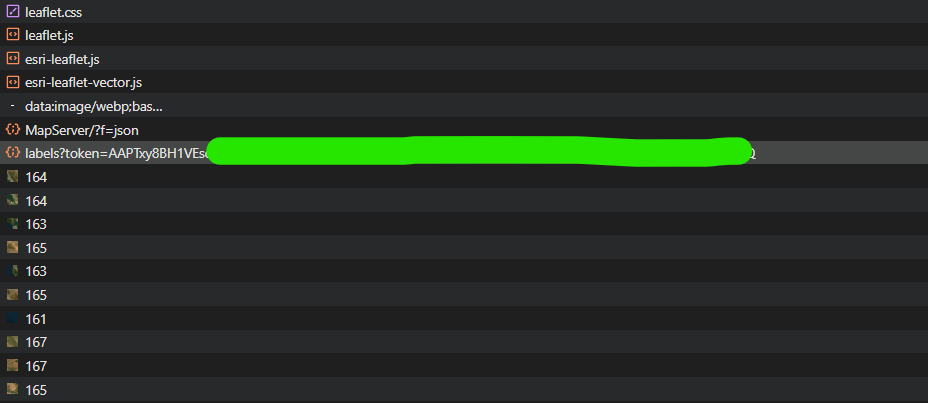
No. Even I inspected in Network, the api call for labels is returned with 200 response. But after the API call the view is not able to render or atleast not able to call pbf files. See screenshot
Unfortunately, I don’t have access to arcgis API, so this makes it difficult to reproduce.
Could you perhaps extract the labels response from the working example in standalone HTML and send that over? We can probably use that to see if there are any problems rendering them with an override.
To extract you can add a console.log(labels) and copy the content from your browser console.
console_response.txt (3.1 MB)
attached is the full response from the console. For security reasons, I just removed the key from it.
Thank you Rohith,
Unfortunately, we couldn’t reproduce it with this response. That is why I needed some more time to get arcgis API access. This has now been realized and I have also been able to reproduce the problem. Our frontend team is looking what is causing this issue.
Regards,
Raoul
Hi Rohith,
Thank you for your patience while we investigated this issue.
I understand you mentioned this is urgent and you’re stuck. I’m sorry we don’t have better news. After reproducing the problem and consulting with our security team, we cannot solve this problem right now. The security policies required to make this work would introduce unacceptable vulnerabilities to our platform.
We are currently exploring what would be required to be able to support this case. In the meantime I asked @rweigand to check in with you to explore potential workarounds.
Regards,
Raoul
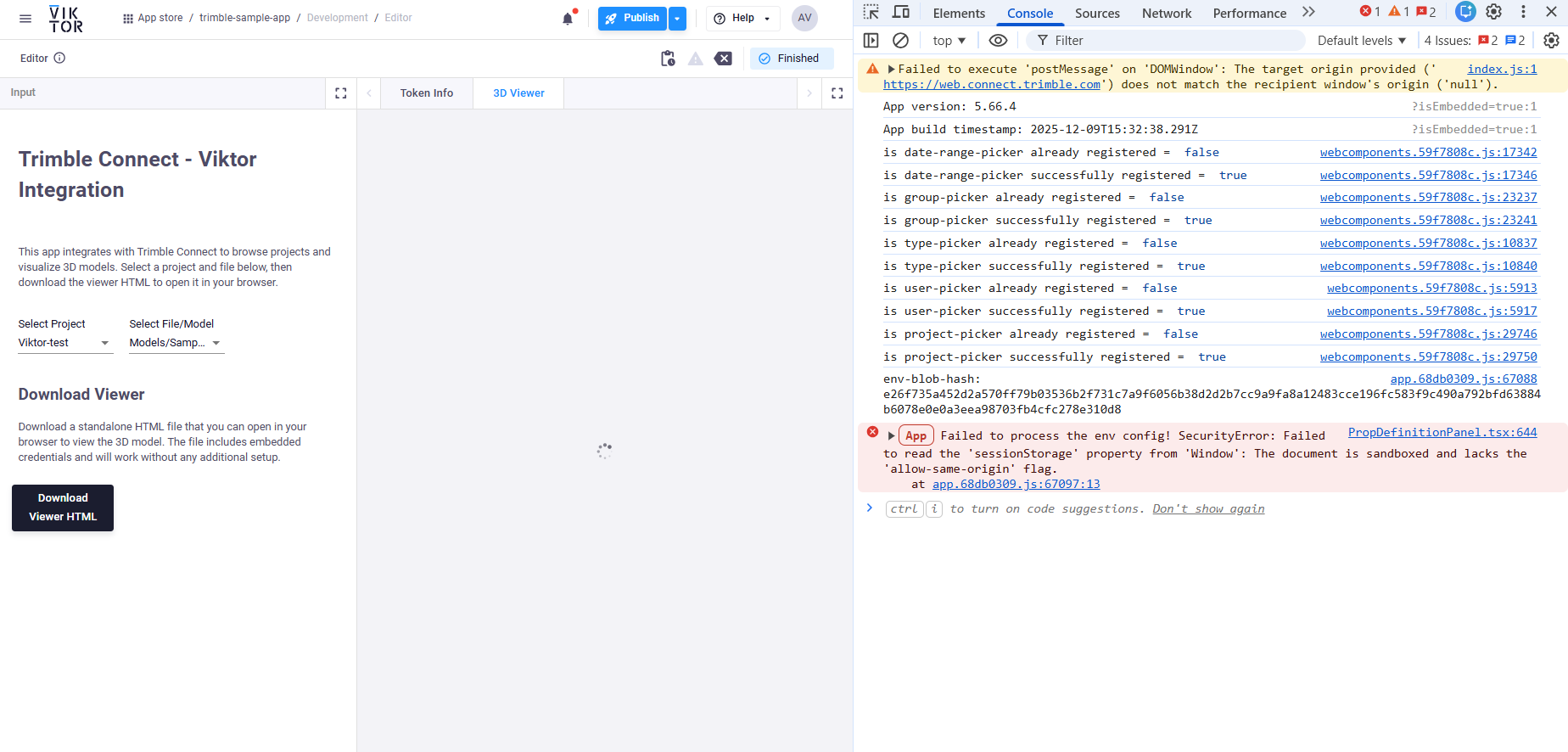
Something similar happened to me when I was building the Trimble Connect–VIKTOR integration. The viewer failed during startup with an error saying it couldn’t read ‘sessionStorage’. I think this is because VIKTOR loads the viewer inside a sandboxed iframe without ‘allow-same-origin’, so the iframe ends up with origin null and Web Storage is blocked.
What worked for me (kind of) was creating a download button to download the HTML, and when you click it, it opens in a new tab in the browser.
It would be nice to find a safe way to overcome this because I think there are lots of potential integrations we could miss out on.