That’s right, the viktor-cli picks the first Python from that list. In your case, Python comes with conda / arcgis it seems. I would advise to install a regular Python version, here you can download the Windows x86-64 executable installer.
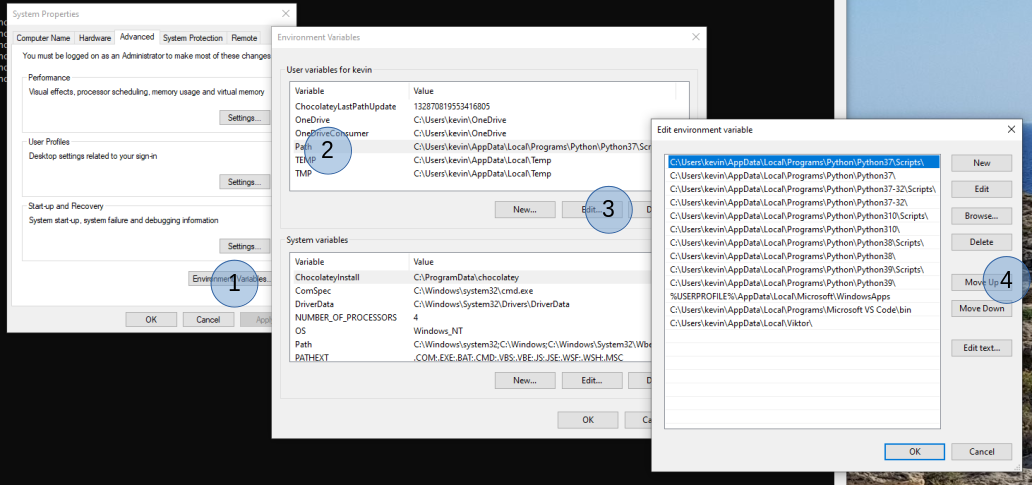
When installed, please make sure that this Python version is listed first in the Path environnment variable. In your Windows search box you can type “environment variables” and click on “Edit the system environment variables”. In the popup windows, click on “Environment Variables…”, select “Path” and click “Edit…”. Then you need to select the line with the new python installation and “Move Up” to the top. Make sure both the “…\Python37” as well as “…\Python37\Scripts” is moved to the top: